Multiple Input Formats
Supports input formats including TXT, DOCX, PDF, Markdown, HTML, and images.
DocTrans focuses on multi-format document conversion and translation. It supports batch processing, OCR, one-click translation for large volumes of documents, local model parsing, and high-precision online API parsing (Mineru).
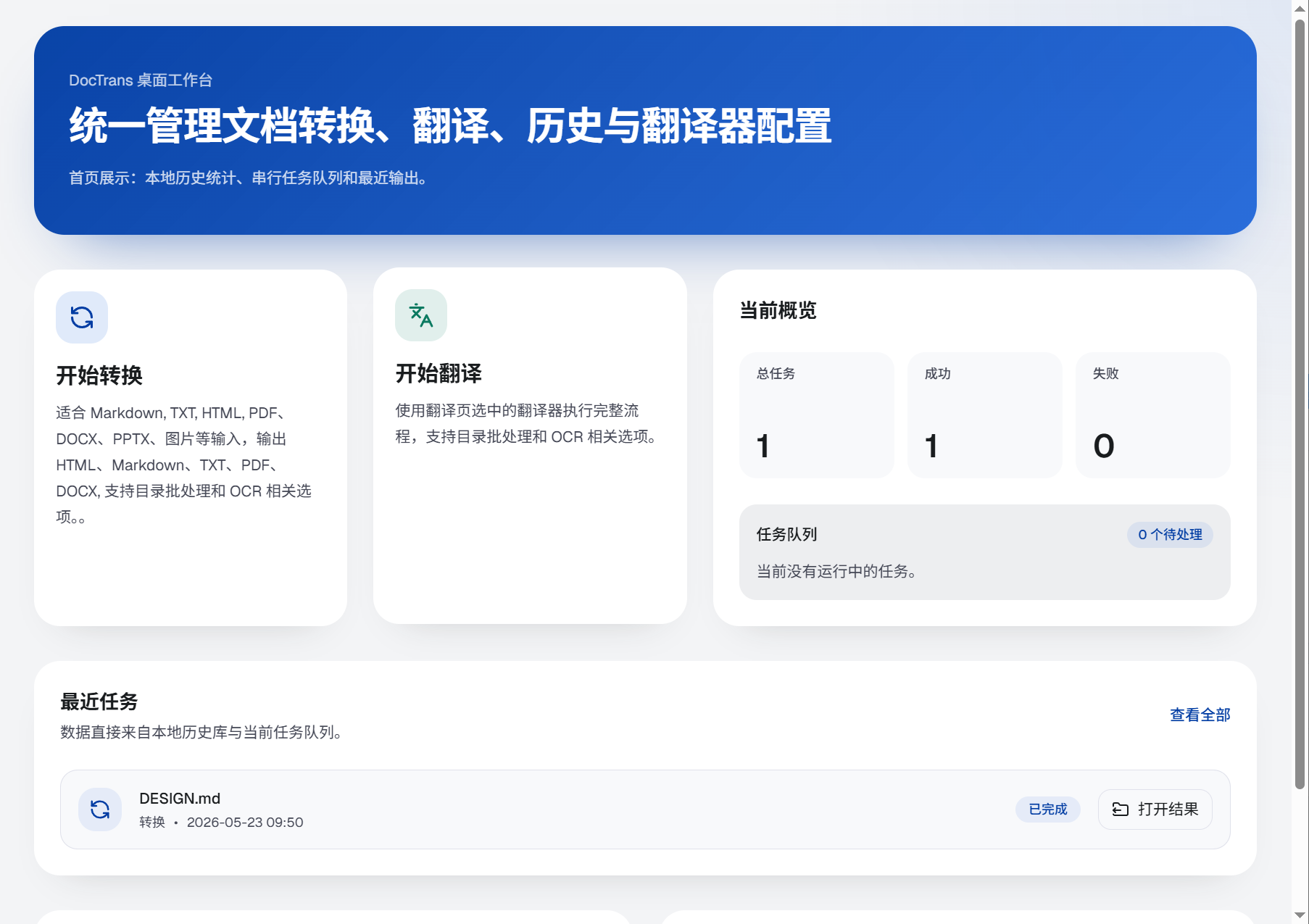
Nine capabilities covering the full workflow of document conversion and translation task management
Supports input formats including TXT, DOCX, PDF, Markdown, HTML, and images.
Supports output formats including TXT, DOCX, PDF, Markdown, and HTML.
A simple startup flow helps you begin tasks faster.
Supports multilingual OCR recognition for images and PDFs.
Includes multiple built-in translators and supports extended custom model translators.
Keeps task history with support for viewing and searching.
Supports local Paddle OCR parsing and high-precision online API parsing (Mineru).
Complete queued batch tasks in one click and greatly improve efficiency through automation.
Uses the latest parsing engine to process documents instantly, much faster than similar software.
Drag in one or more documents as needed and choose the task configuration.
Choose the translator you need and start the task.
After completion, view the task history and open the translated documents.
Three selected key screens showing a typical workflow
Currently available for Windows
Windows 10 / 11
Stable
Version: v0.3.0
Download Methods
macOS
In Development
Download Methods
Professional Edition
Pro
Designed for heavy users and professional scenarios
Windows 10/11 is currently supported, and the macOS version is in development.
Chinese, English, Japanese, Korean, French, German, Spanish, and other languages are supported, covering all common needs.
Yes. It supports images and scanned PDFs, with multilingual support.
TXT, DOCX, PDF, Markdown, and HTML output formats are supported.
You can apply for an API at mineru.net. It is currently free and includes 1,000 free document pages per day.